Quick Answer: The Chromebook 4 (both the 11.6″ and 15.6″ versions) uses a screwed-down battery pack similar to Acer’s budget clamshells, making it one of the more DIY-friendly Samsung models to service. Expect $25–$50 for a compatible battery, with the two screen sizes using different capacity cells despite a nearly identical internal layout.
Why Size Matters More Than Model Name Here
- Samsung sold the Chromebook 4 in both 11.6″ and 15.6″ variants under the same “Chromebook 4” name, and the two use different battery capacities and, on some revisions, different connectors
- The plastic chassis uses a straightforward screwed bottom panel, without the adhesive-heavy construction seen on Samsung’s higher-end Galaxy Chromebook line
- Samsung’s budget-tier plastic hinges flex more than metal ones, which occasionally loosens internal connectors over time and can mimic a battery problem
Fix Steps
Step 1: Confirm the screen size and exact model number
Check the bottom sticker or Settings > About ChromeOS > Additional details. Ordering a battery for the wrong screen-size variant is the single most common mistake with this model, since both share the “Chromebook 4” name.
Step 2: Run the built-in battery health check first
See Samsung Chromebook battery health check: how to test it to confirm actual capacity loss before ordering a part, since a rapid but temporary drain is sometimes a background app issue instead.
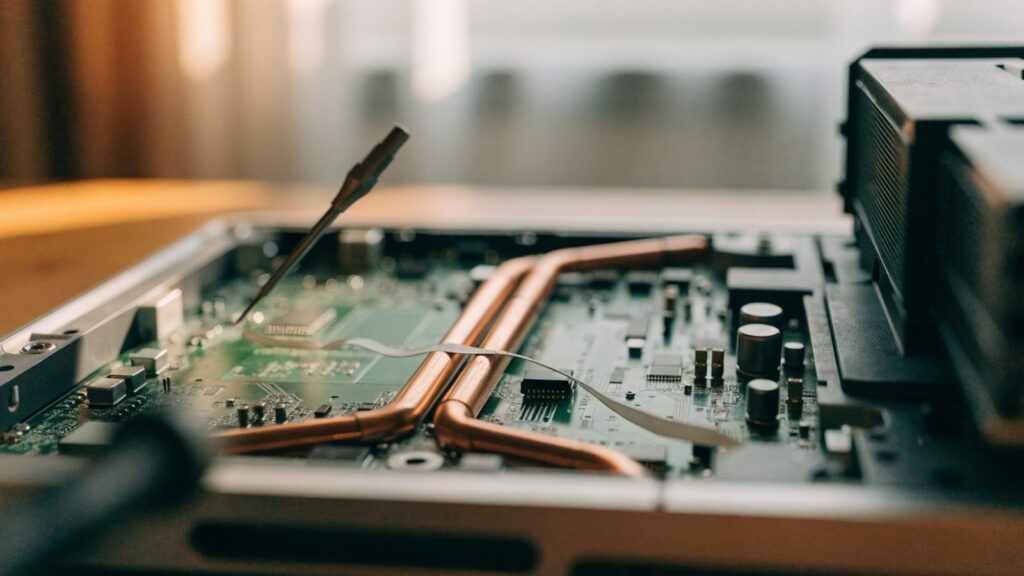
Step 3: Remove the bottom panel
Remove all visible screws, including any hidden beneath the rear rubber feet, then work the panel loose from a rear corner using a plastic spudger.
Step 4: Disconnect and remove the old battery
Disconnect the ribbon cable from the motherboard, then remove the mounting screws holding the battery in place. Check for any swelling before handling it further.
Step 5: Install the new battery and verify before closing
Seat the new battery, reconnect the cable, and power on with the panel off to confirm charging and capacity report correctly before closing the case.
Repair or Replace?
Given the Chromebook 4’s original budget price point, a $25–$50 DIY battery swap is almost always worth it over replacing the whole device, provided the rest of the unit is in good shape and it isn’t already past its AUE date.
FAQ
Can I use a 15.6″ battery in the 11.6″ Chromebook 4 or vice versa?
No. Even where the connector matches, the physical size and capacity are different, and the battery won’t fit the smaller chassis correctly.
My Chromebook 4 won’t charge at all, not just drains fast — is it the battery?
Not necessarily. Check Samsung Chromebook charging port repair first, since a damaged port is a separate and equally common cause on this model.
Is the Chromebook 4 easy to open compared to other Samsung models?
Yes — it’s one of the simpler Samsung models to service, using standard screws rather than the adhesive-heavy construction on Samsung’s Galaxy Chromebook line.