Quick Answer: The Acer Chromebook 314 (CB314 series) uses a standard screwed-in battery pack, not a glued cell, which makes it one of the easier Acer models to service yourself. Expect to pay $25–$45 for a compatible replacement battery, with the swap itself taking under 20 minutes once the back panel is off.
Why the 314 Is Straightforward to Service
- The CB314’s bottom panel is held by exposed Phillips screws rather than hidden clips, so it opens without prying tools in most revisions
- The battery is secured with two or three small screws in addition to its ribbon connector, unlike thinner 2-in-1 Acer models that glue the cell to the chassis
- Acer sold the CB314 across several sub-models (CB314-1H, CB314-2H, CB314-3H) with different battery part numbers, so matching the exact suffix matters

Fix Steps
Step 1: Confirm your exact sub-model
Check Settings > About ChromeOS > Additional details or the bottom sticker for the full model string, including the suffix after “CB314.” The battery part number differs between generations even though the chassis looks identical.
Step 2: Rule out a charging port or software issue first
Before ordering a battery, confirm the drain is actually the cell and not the charger or port — see how to check Chromebook battery health. If the “full charge capacity” reported there is far below “design capacity,” replacement is the right call.
Step 3: Open the back panel
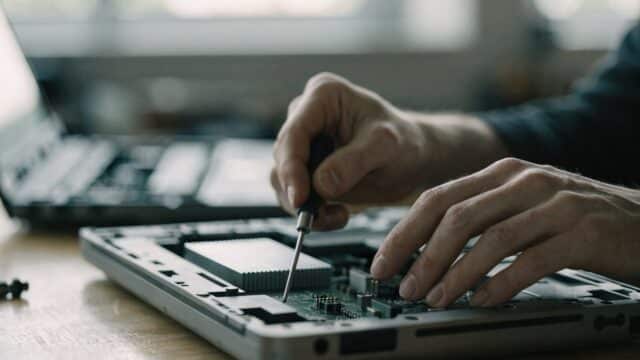
Remove all visible screws (including any hidden under rubber feet), then lift the panel starting from a rear corner. See our general teardown guide for tool recommendations if this is your first time.
Step 4: Remove the old battery and disconnect the cable
Disconnect the battery ribbon cable from the motherboard before removing the mounting screws, and avoid touching the connector pins. If the cell shows any swelling, stop and handle it carefully rather than prying it out.
Step 5: Install, reconnect, and test before closing
Seat the new battery in the same mounting position, reconnect the ribbon cable, and power the device on with the panel still off to confirm it charges and reports correctly before screwing the back panel back on.
Repair or Replace?
A DIY battery swap on the CB314 is one of the cheaper hardware fixes on this site. If the Chromebook is also past its AUE date or showing other wear, weigh the $25–$45 part cost against a replacement device — see Acer Chromebook AUE dates by model to check how much runway the CB314 has left.
FAQ
Does the Acer Chromebook 314 battery need special tools?
No. A Phillips #0 screwdriver and a plastic spudger are enough for most CB314 revisions, since the back panel uses standard screws rather than adhesive.
Will any CB314 battery fit?
Only if it matches your exact sub-model suffix (CB314-1H, -2H, -3H, etc.). Acer changed battery suppliers between revisions even though the outer chassis is nearly identical.
My Acer Chromebook 314 battery is draining fast but isn’t old — is it still the battery?
Not necessarily. Check Acer Chromebook battery draining fast for software causes first, since a rogue extension or misconfigured setting is a more common culprit than a failing cell in a device under two years old.