A wired connection is supposed to be the reliable option, so it’s especially frustrating when your Chromebook shows “connected” over Ethernet but nothing actually loads. This almost always comes down to the adapter, the cable, or the network itself rather than anything wrong with ChromeOS.
Quick answer: Unplug and firmly reseat the Ethernet cable at both ends, and if you’re using a USB-C adapter, unplug and reconnect that too. Then open Settings > Network and check whether the connection shows an IP address — if it’s missing or starts with 169.254, the Chromebook isn’t getting a valid address from the network, which points to the router, modem, or cable rather than the Chromebook itself.
Why This Happens
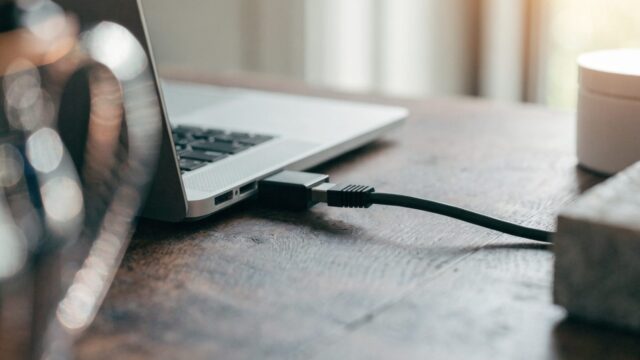
- Loose or faulty cable — the single most common cause. A cable that looks fully plugged in can still have a bad connection at one end.
- USB-C adapter issues — most Chromebooks need a USB-C to Ethernet adapter, and a failing or incompatible one will show “connected” while passing no real data.
- No IP address assigned — if DHCP fails, your Chromebook may show a link as active without any usable network address.
- Router or modem-side problem — the port you’re plugged into on the router or switch may be dead, misconfigured, or the network may be down entirely.

How to Fix It
- Unplug the Ethernet cable from both the Chromebook (or adapter) and the wall jack/router, then plug both ends back in firmly.
- If you’re using a USB-C to Ethernet adapter, disconnect it from the Chromebook and reconnect it — try a different USB-C port if your Chromebook has more than one.
- Click the time in the bottom-right corner and check whether Ethernet shows as connected with an IP address, by clicking the network name and then Information.
- If there’s no IP address, or it starts with
169.254, the Chromebook isn’t reaching a working DHCP server — try a different cable or a different port on your router or switch. - Test the same cable and port with another device, if you have one, to isolate whether the problem is the Chromebook side or the network side.
- Restart your router and modem by unplugging them for 30 seconds, then plugging back in and waiting for them to fully reconnect.
Still Not Working?
- IP address looks normal but nothing loads: try changing your DNS settings — a DNS server issue can block browsing while the connection itself is technically fine.
- Works on Wi-Fi but not Ethernet: that isolates the issue to the cable, adapter, or the specific port you’re using — try our USB-C to Ethernet adapter guide for compatibility notes.
- Ethernet port on the wall isn’t working: it may not be active or may be wired to a different network — check with whoever manages the building’s network wiring.
- USB ports seem unresponsive generally: see our guide on Chromebook USB ports not working to rule out a hardware port issue.
- On a school or work network: wired ports on managed networks sometimes require device registration before granting access — see our guide on Chromebooks that won’t connect to school or work Wi-Fi, since the same registration requirement often applies to wired connections too.
- Chromebook says “network not available” instead of connected: that’s a different message than the one covered here; see our guide on network not available on a Chromebook.
FAQ
Why does Ethernet show “connected” if there’s no internet?
“Connected” usually just means the physical link between your Chromebook and the router or switch is active — it doesn’t confirm that a valid IP address was assigned or that the network itself has working internet access.
Do all Chromebooks need an adapter for Ethernet?
Most modern Chromebooks don’t have a built-in Ethernet port and need a USB-C to Ethernet adapter. A few models, mostly larger or enterprise-focused ones, include a built-in port.
Can a bad USB-C adapter cause this even if it lights up?
Yes. An adapter’s power or link light doesn’t guarantee it’s passing data correctly — a partially failed adapter can still power on and show a link light while dropping most traffic.
Should I try a different Ethernet cable before anything else?
It’s one of the fastest things to rule out, and cables fail more often than people expect — especially ones that get stepped on, bent sharply, or run under furniture.